How to use voice agents in your dental clinic with 42Desk — step-by-step guide
Set up your AI receptionist in under 30 minutes and start answering calls 24/7
Key takeaways
- ✓42Desk can be up and running in under 30 minutes, no technical knowledge required.
- ✓The agent answers calls 24/7, handles common questions, and sends email summaries.
- ✓The setup wizard guides you step by step — no need to write code or technical prompts.
- ✓You can test the agent before activating real call forwarding.
Why your clinic needs a voice agent
Every day, dental clinics miss calls — during lunch, after hours, while the receptionist is at the desk with a patient. Every missed call is a patient who will call the competition.
42Desk solves this with an AI receptionist that answers calls 24 hours a day, 7 days a week. It doesn't replace your team — it frees them to focus on what truly matters: being present with patients.
Step 1: Create your first agent
Go to 42desk.com and sign up. After signing up, you'll be taken to the dashboard where you'll see the agent list — initially empty, with the + New agent button clearly visible.
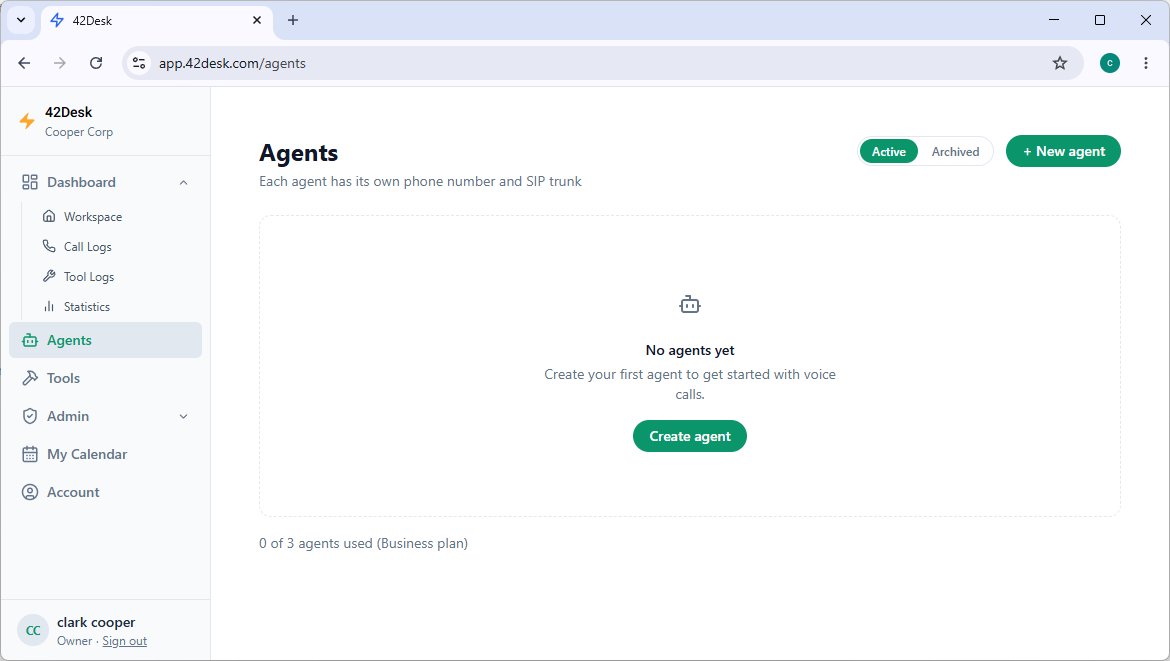
Click + New agent to start the setup process.
Step 2: Name your agent
A window appears where you define the agent name — this is the name your receptionist will use to introduce itself on calls — and the country (change it to match your location if needed).
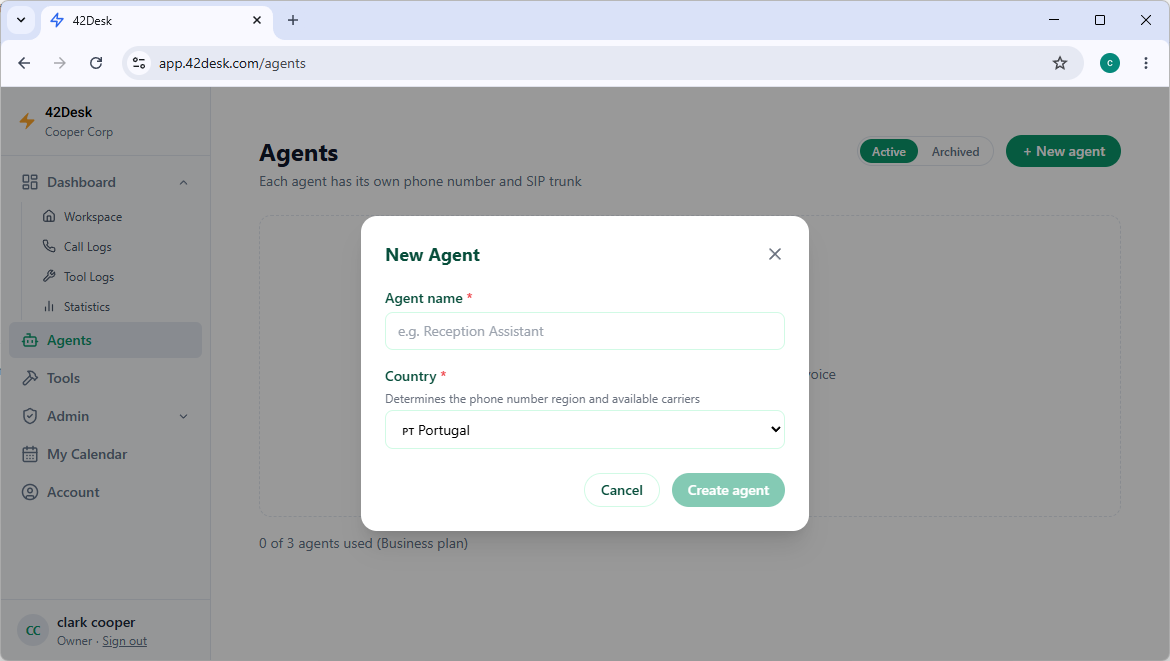
Choose a natural name like "Sophie" or "Emma". Once confirmed, the setup wizard launches.
Step 3: Define the agent with the setup wizard
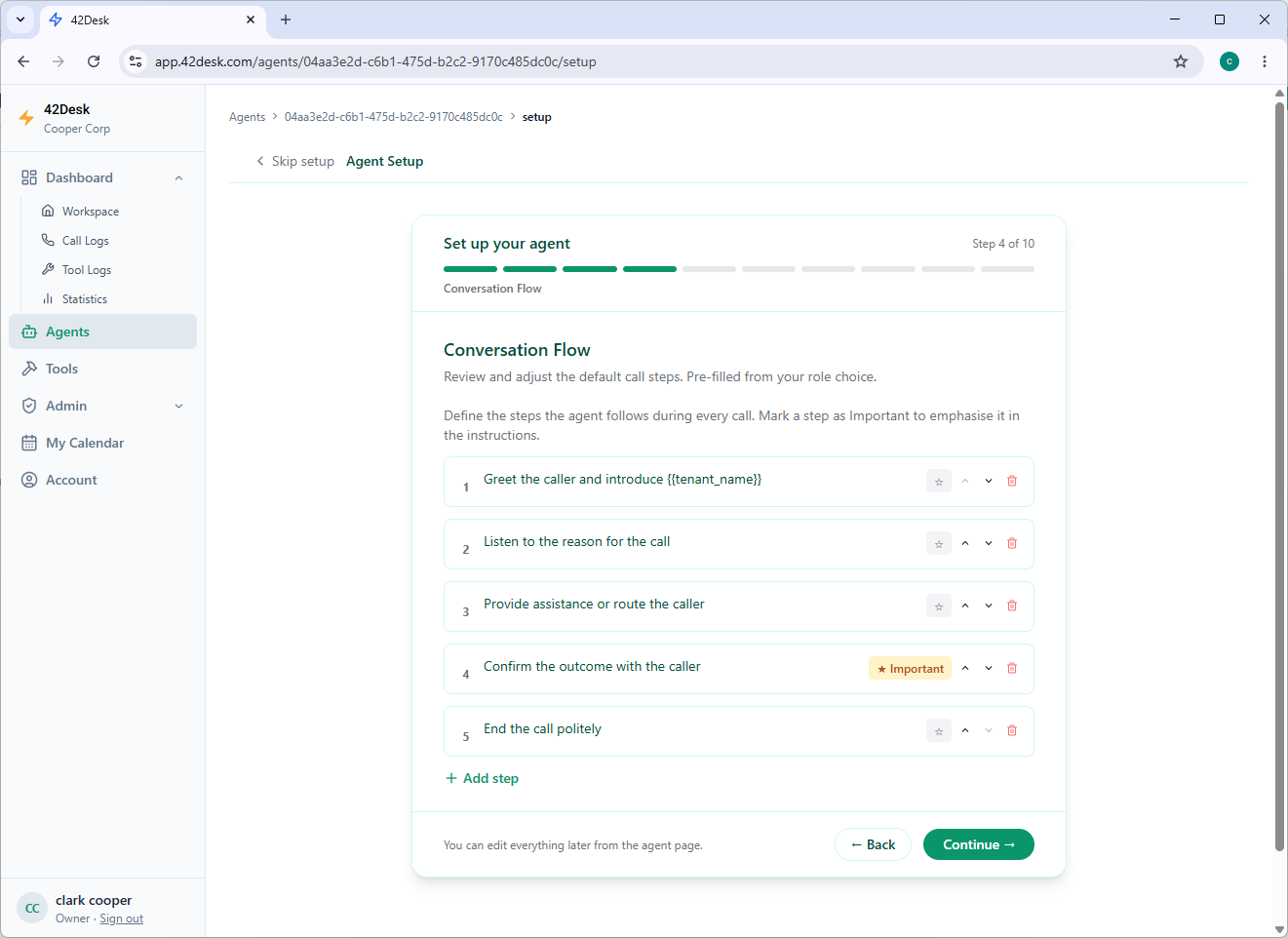
42Desk guides you through a 10-step wizard. No need to write prompts or have any technical knowledge — just answer the questions.
| Step | Section | What you configure |
|---|---|---|
| 1/10 | Voice & Language | Agent voice, opening message, primary and secondary languages |
| 2/10 | Role | Agent type (Receptionist, Appointment Booking, etc.) and role description |
| 3/10 | Main Goal | What defines a successful call |
| 4/10 | Conversation Flow | Call steps auto-generated based on the role — you can edit, add, or remove them |
| 5/10 | Tone & Style | Personality preset (Professional, Warm, Formal…) and speaking rules |
| 6/10 | Guardrails | Automatic rules for honesty, privacy, and role scope |
| 7/10 | Escalation | When the agent should ask the caller to wait for a human follow-up |
| 8/10 | Advanced Instructions | Free-text appended to the generated prompt (optional) |
| 9/10 | Knowledge Base | Clinic information: prices, opening hours, FAQs, policies |
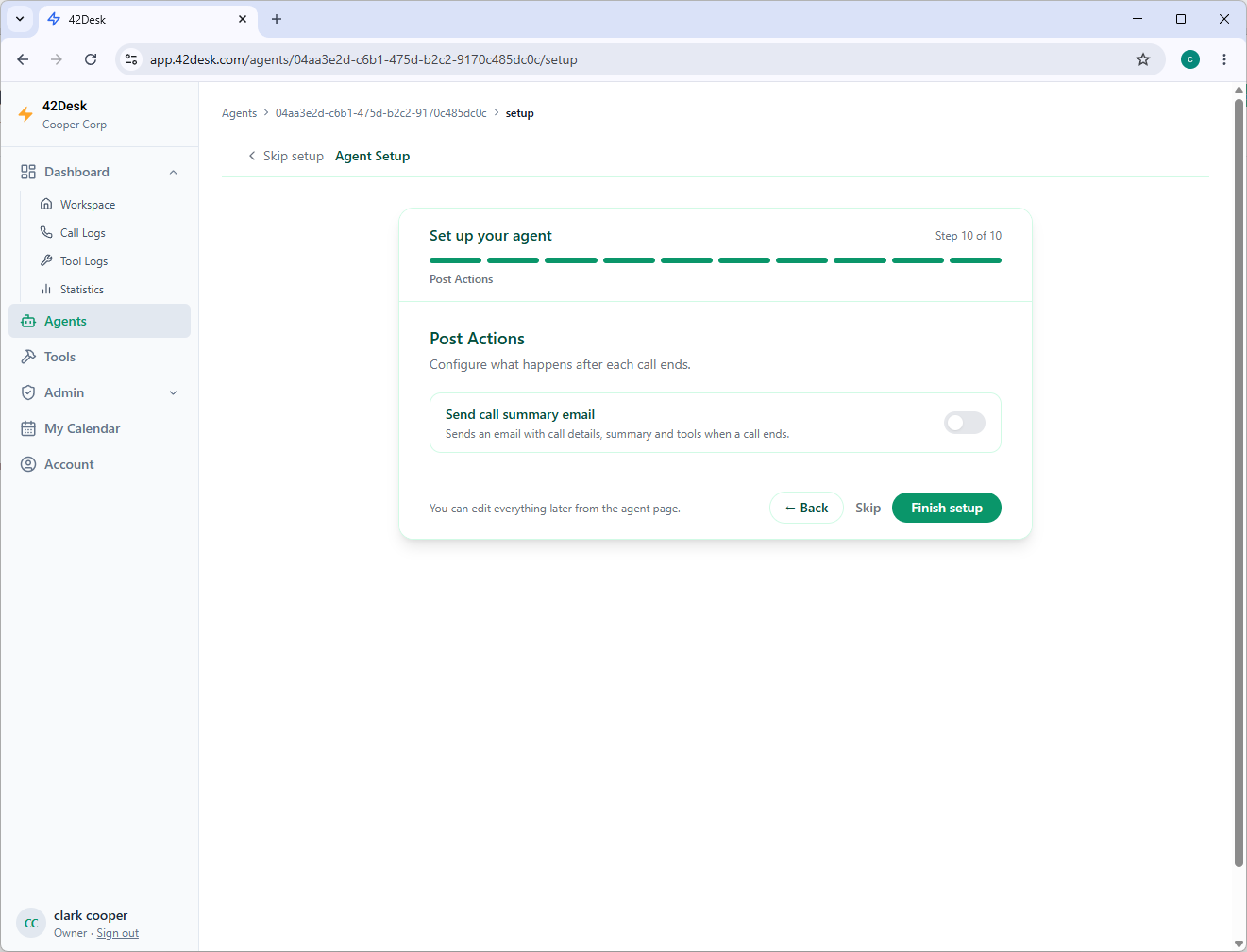
| 10/10 | Post-Call Actions | Automatic email summary sent after each call |
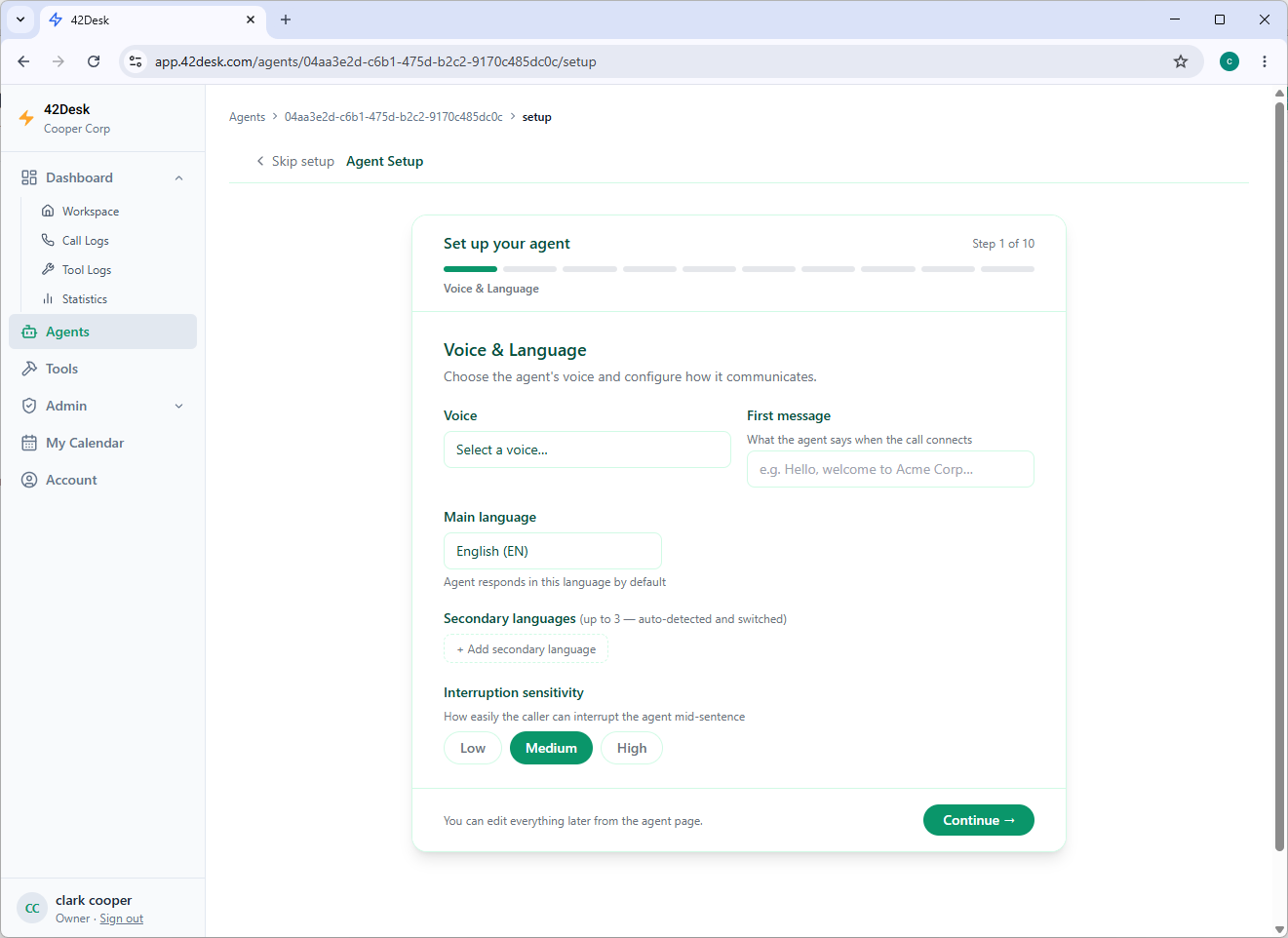
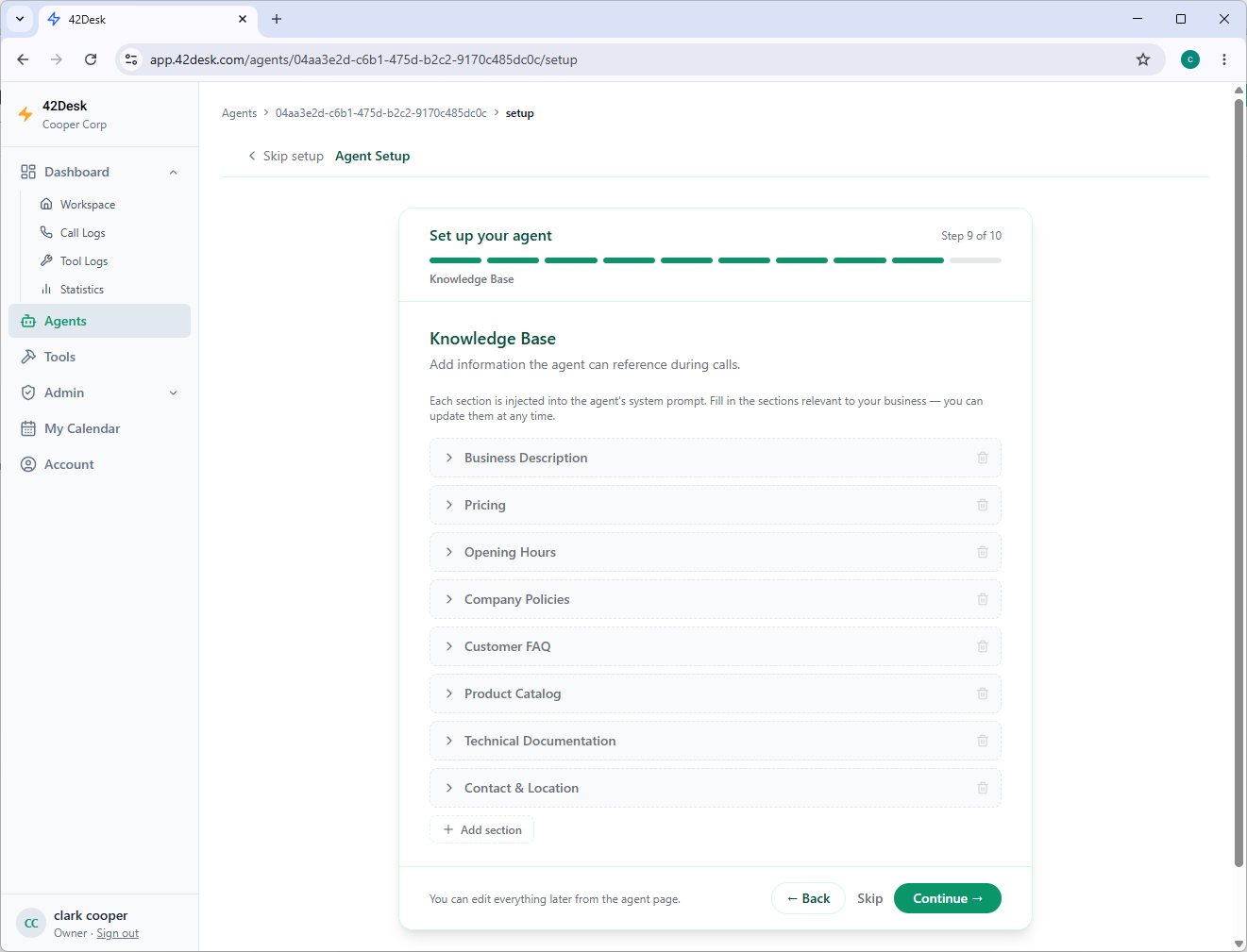
The knowledge base (step 9/10) has the biggest impact on response quality — fill in your opening hours, prices, and FAQs with as much detail as possible.
Step 4: Publish the agent and get a phone number
When you click Finish setup, the agent is created and automatically assigned a local phone number. This number is available immediately if the account has credit or is on a paid plan.
You can test the agent two ways before activating real forwarding:
- In the dashboard: there's a test button that starts a call directly in the browser
- By phone: call the assigned number from your mobile
Simulate real scenarios: booking an appointment, asking about opening hours, a dental emergency. Adjust the knowledge base if the agent can't answer something important.
Step 5: Set up call forwarding
This is the step that connects the agent to your clinic's number. Through your telecoms provider, set up conditional forwarding to the 42Desk number:
- Forward when unanswered (after 3–4 rings)
- Forward when busy (line already in use)
- Forward when out of coverage
This way, 42Desk only steps in when your team can't answer — normal calls continue to reach your clinic's usual number.
Step 6: Monitor your calls
After each call, 42Desk sends an email summary with the transcript, information collected (patient name, treatment type), and the outcome. The dashboard gives you full call history with filters by date and call type.
Conclusion
Setting up 42Desk at your dental clinic is a straightforward process that can transform how you manage calls. In under 30 minutes, your clinic has 24/7 coverage — without hiring more staff.
The investment is minimal. The impact on patient conversion is real.

Carlos Rodrigues
Founder of 42Desk. Helping businesses never miss a call with AI receptionists.